
"Digital business cards for a team: one business, a card per person"
A team digital business card setup is one company card for the business and a personal card for each person, with the same logo and buttons, run from one account.
Published 29 October 2026 · 6 min read
Want your own card in your customers’ Wallets?Build one for free

Digital business cards for a team work best as one company card for the business and a personal card for each person who meets customers. Every card carries the same logo, colour and buttons, and each personal card adds the person's name, photo and phone number. The customer saves the card of the person who did the job, and it sits in their Apple Wallet or Google Wallet.
The owner runs all of the cards from one account. When someone changes phone number, moves territory or leaves the business, the owner changes that one card and every copy already saved on a customer's phone updates on its own. Nothing is reprinted and nothing has to be sent out again.
Why does a team need more than one card?
A customer remembers the person who turned up, not the business name on the van. If the apprentice fixed the hot water system, the customer wants to know who to ask for next time.
One shared card works while the owner does every job. Once two or three people are out on jobs, a single card hides who the customer dealt with, and paper cards for each person cost a print run each and go out of date the day someone changes their number. A personal card for each person fixes both: the business stays the same on every card, and the person changes.
How to set up digital business cards for your team
- Build the company card first. This one leads with your banner and logo, with your main phone number, hours or licence number on the front. It is the card for the office, the website and the van.
- Set the buttons on the back. Book, call, leave a Google review, your website. Set them once and every new card starts with them.
- Add a personal card for each person. A new card carries over the business's details, so you only fill in the name, photo, phone number and a short label such as "Your electrician" or "Account manager".
- Put each card in its owner's Wallet. Every card has its own QR code and link. Each person scans their own code once, and from then on they show it from their own phone.
The guide on how to make a digital business card walks through building a single card in more detail.
How each person shares their own card
At the end of a job, the person who did it opens their card in Wallet and holds the phone up. The customer points their camera at the QR code on the front and taps Add to Apple Wallet or Add to Google Wallet. The same code works on both kinds of phone, and neither of them installs an app.
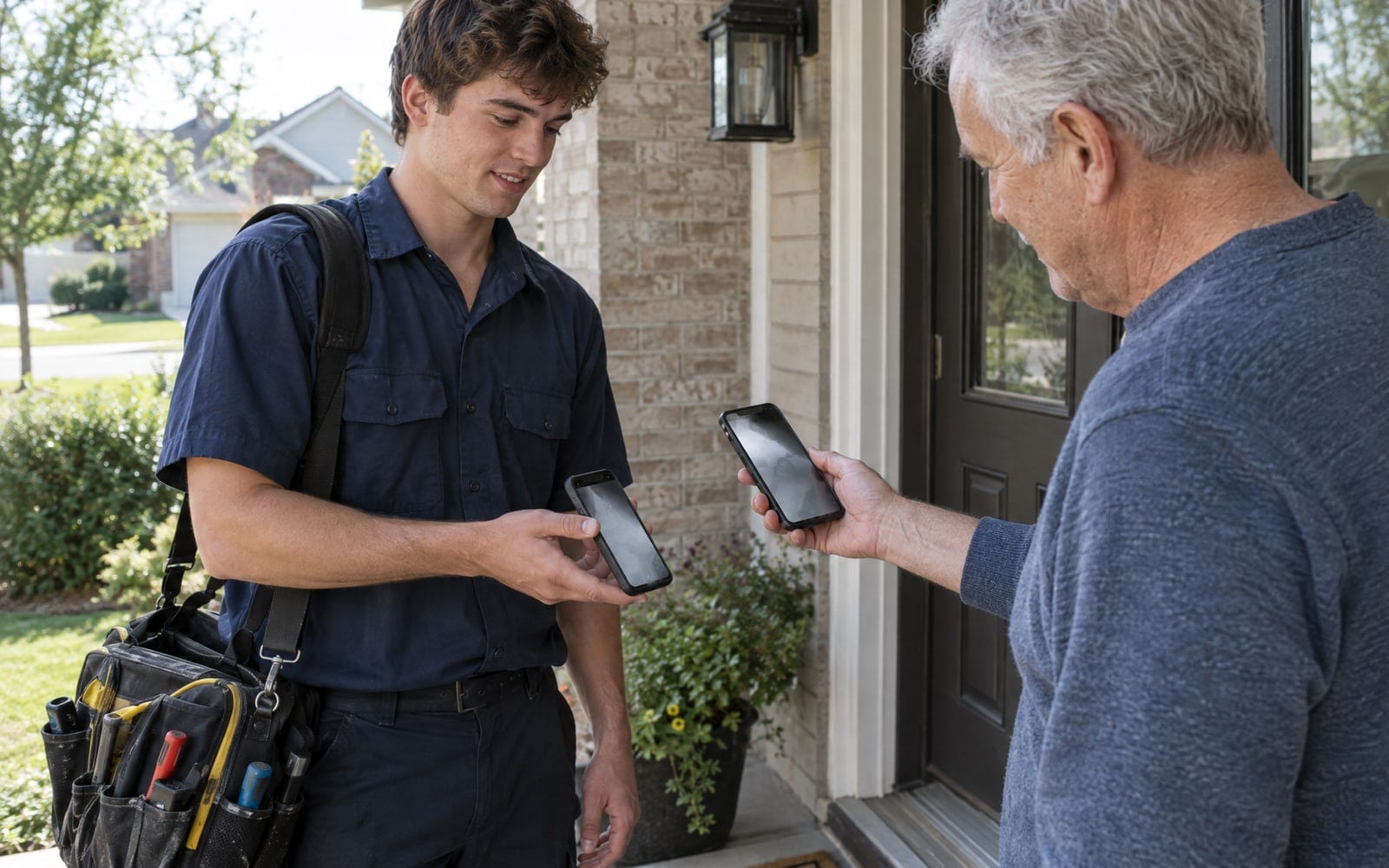
Each card's link works the same way, in an email signature or a text after a quote.
What a personal card looks like in the Wallet
A personal card leads with the person's name and photo, with the business name and logo across the top. Below that sit up to three short lines, such as a phone number, a territory or a job title. The back holds the same buttons as the company card.
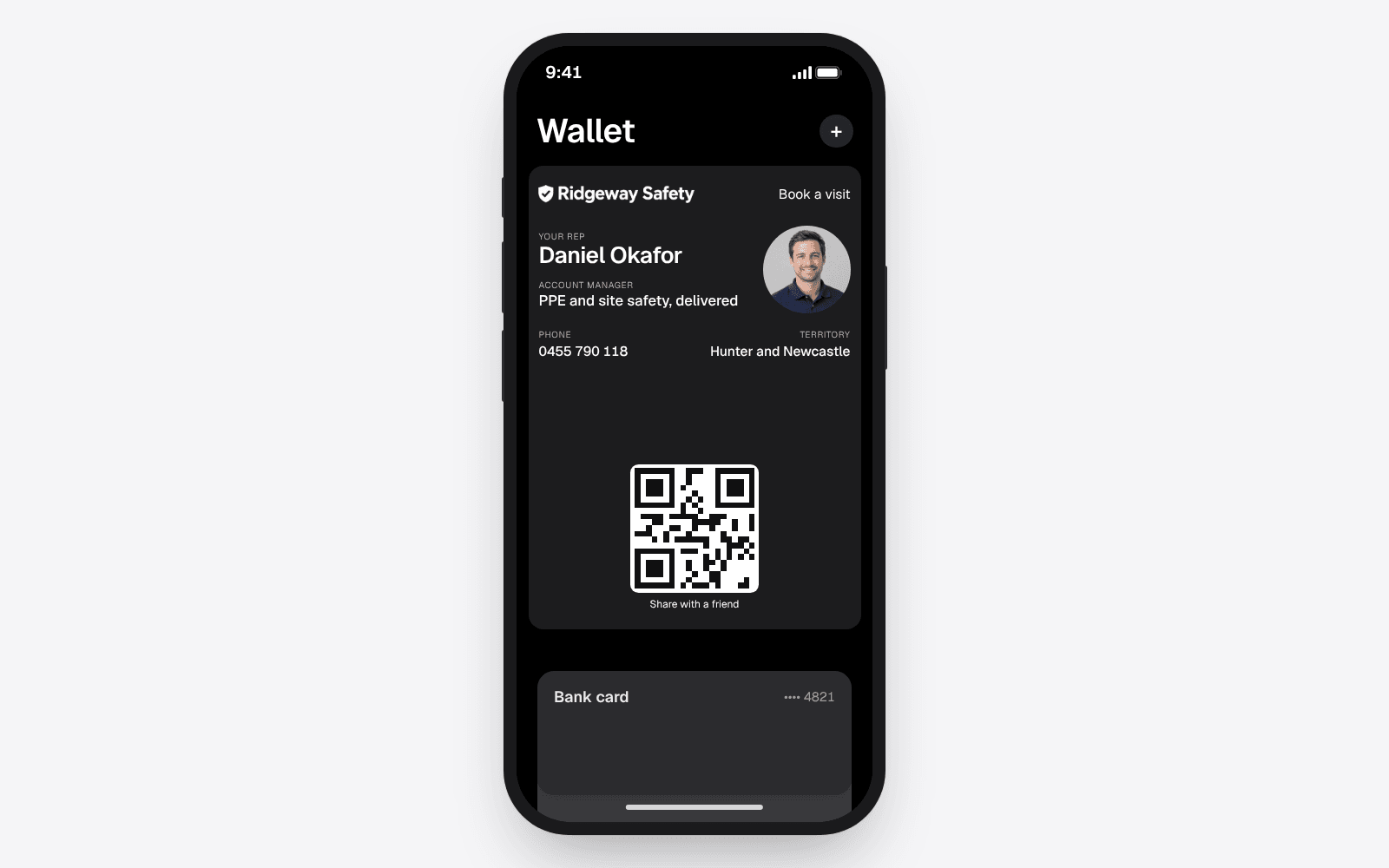
The customer sees this every time they open their Wallet to pay for something: a face they recognise and the number to call.
Follow-ups and updates for a team
Each card has its own automatic follow-ups on echocard Pro. When a customer saves a personal card, the thank you the next day and the reminder a month on arrive on their lock screen in that person's name, such as "Daniel Okafor from Ridgeway Safety".
Updates work across the whole team. You can send one message to every phone holding any of your cards, or to the phones holding one card only. An update can go out once a week per business, not per card, because a card that sends too many messages gets removed.
On Pro the numbers page shows each card on its own: how many phones still have it and which buttons get tapped. It never shows the customer's name or number, because echocard never collects them.
What happens when someone leaves
When a person leaves, the customers they served still have their card. With paper, those customers end up ringing a number that no longer answers.

With a Wallet card, the owner opens that person's card and changes the name, photo and phone number to whoever takes over. Every copy already saved on a customer's phone updates, usually within a minute. The customer opens their Wallet and sees the new person and the right number.
To retire a card instead, delete it and every saved copy shows as expired until the customer removes it.
What Free and Pro include for a team
- Free is one card, in Apple Wallet and Google Wallet, with its QR code, link and updates on every phone. It suits a business with one person, or a team that shares one company card.
- Pro is US$9.99 a month for the business and adds more than one card, each with its own code, plus the follow-ups, updates and numbers.
If Pro is cancelled, the first card carries on and the extra cards pause. The help article on what is in Free and what is in Pro sets out the full list.
Frequently asked questions
Can every employee have their own digital business card?
Yes. A business can have a company card and a personal card for each person, with the same logo and buttons on every one and each person's own name, photo and phone number. On echocard, more than one card is part of Pro.
Do my staff need an app or an account?
No. Each person keeps their card in Apple Wallet or Google Wallet, which is already on their phone, and shows it from there. The owner makes and changes every card from one account, so staff never sign up for anything.
What happens to a staff member's card when they leave?
The owner changes the name, photo and phone number on that card to the person taking over, and every copy saved on a customer's phone updates on its own. Deleting the card instead marks every saved copy as expired.
Can I send one message to customers of the whole team?
Yes, on Pro. An update can go to every phone holding any of your cards, or only to the phones holding one card. Each business can send one update a week.
The short version
Give the business a company card and give each person who meets customers a personal card with the same branding and their own name, photo and number. Run them all from one account, and change a card when someone moves on so the customer always reaches the right person. See how a card per rep works for field sales teams, or start for free and build the first card in five minutes.