
How to make a digital business card (the three kinds, and how long each takes)
A digital business card is a link page, a contact file or a Wallet card. Here is how to make each one, and why the Wallet card is the quickest that customers keep.
Published 23 October 2026 · 6 min read
Want your own card in your customers’ Wallets?Build one for free

To make a digital business card, first decide which of the three kinds you want: a link page, a contact file or a Wallet card. A link page is a small website you build with a page builder. A contact file is a vCard you export from your phone's Contacts. A Wallet card is a pass that saves to Apple Wallet or Google Wallet, made with a service that can sign passes.
For a trade or local service business, the Wallet card is the one worth making. It takes about five minutes on a phone with echocard, nothing needs printing, and it stays in the customer's Wallet and updates itself when your details change. The contact file is quicker but goes out of date, and the link page takes the longest and is the easiest for a customer to lose.
The three kinds of digital business card
All three get called a digital business card, but they behave very differently once the customer walks away.
- A link page. A web page with your name, photo, phone number and links. The customer opens it from a QR code or a link, and has to bookmark it to find it again.
- A contact file. A vCard, the file a phone uses to add someone to Contacts. It saves your details as a copy, with no buttons for booking or reviews.
- A Wallet card. A pass in Apple Wallet or Google Wallet. It stays linked to your business, so it changes when you change it, and the back holds buttons such as call, book and leave a Google review.
The guide on what a free digital business card should include compares the three on price.
How to make a link page

A link page is the kind many digital business card apps make. You sign up with a page builder, pick a layout, upload a photo and logo, type in your details and add a button for each link. Then you copy the page's address into a QR code generator so people can scan it.
Making a link page is easy, but it is a website, so it takes as long as a small website does: choosing a layout, writing the words, checking it on a phone. The bigger problem comes later. Nothing is saved on the customer's phone, so next time they need you they have to find the link again.
How to make a contact file
A contact file is the quickest kind to make, because your phone already has one for you.
- Open Contacts and create a card for your business: the business name, mobile, email, website and address.
- On an iPhone, open the contact and tap Share Contact. On an Android phone, open the contact, tap the menu and choose Share.
- Send it by text or email, or save the .vcf file it makes and attach it to your quotes.
The trouble with a contact file is that it is a copy. Once a customer saves it, you cannot change it, so a new number or a new booking link never reaches them. It also has no buttons for booking or reviews, and it sits among hundreds of other contacts. The guide on whether you can put a business card in Apple Wallet explains why a contact will not go into Wallet either.
How to make a Wallet card
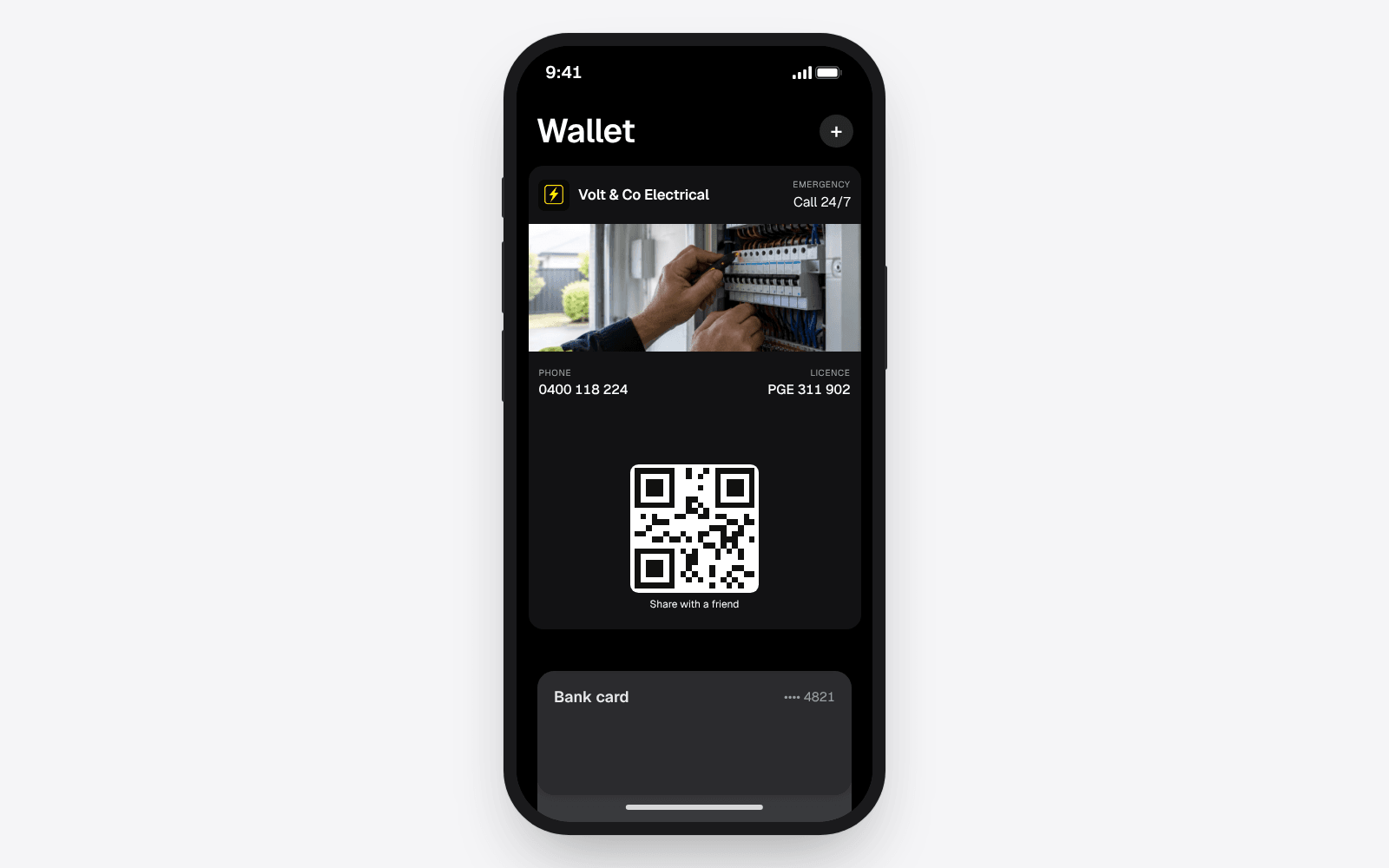
A Wallet card cannot be made from your phone's settings, because Apple and Google only accept passes signed by a registered service. A digital business card service does the signing, and you fill in a form. With echocard it goes like this:
- Open echocard.co/start on your phone. There is no app to download.
- Put in your business name and trade, then add your logo and pick your colour.
- Add the details for the front: your phone number and up to two more short lines, such as your hours or licence number.
- Add the links for the back: your booking page and your Google review link, plus your website if you have one.
- Save the card with your email address. That is the account; no card details are asked for.
- Open the Share page and tap Add to Wallet, so the same card your customers get is in your own Wallet.
That is the five minutes. The help article on building your card explains every field, and what fits on the front and the back of a real pass.
The card works on both kinds of phone. An iPhone saves it to Apple Wallet, an Android phone saves it to Google Wallet, and the same QR code and link serve both.
How to hand out your first card
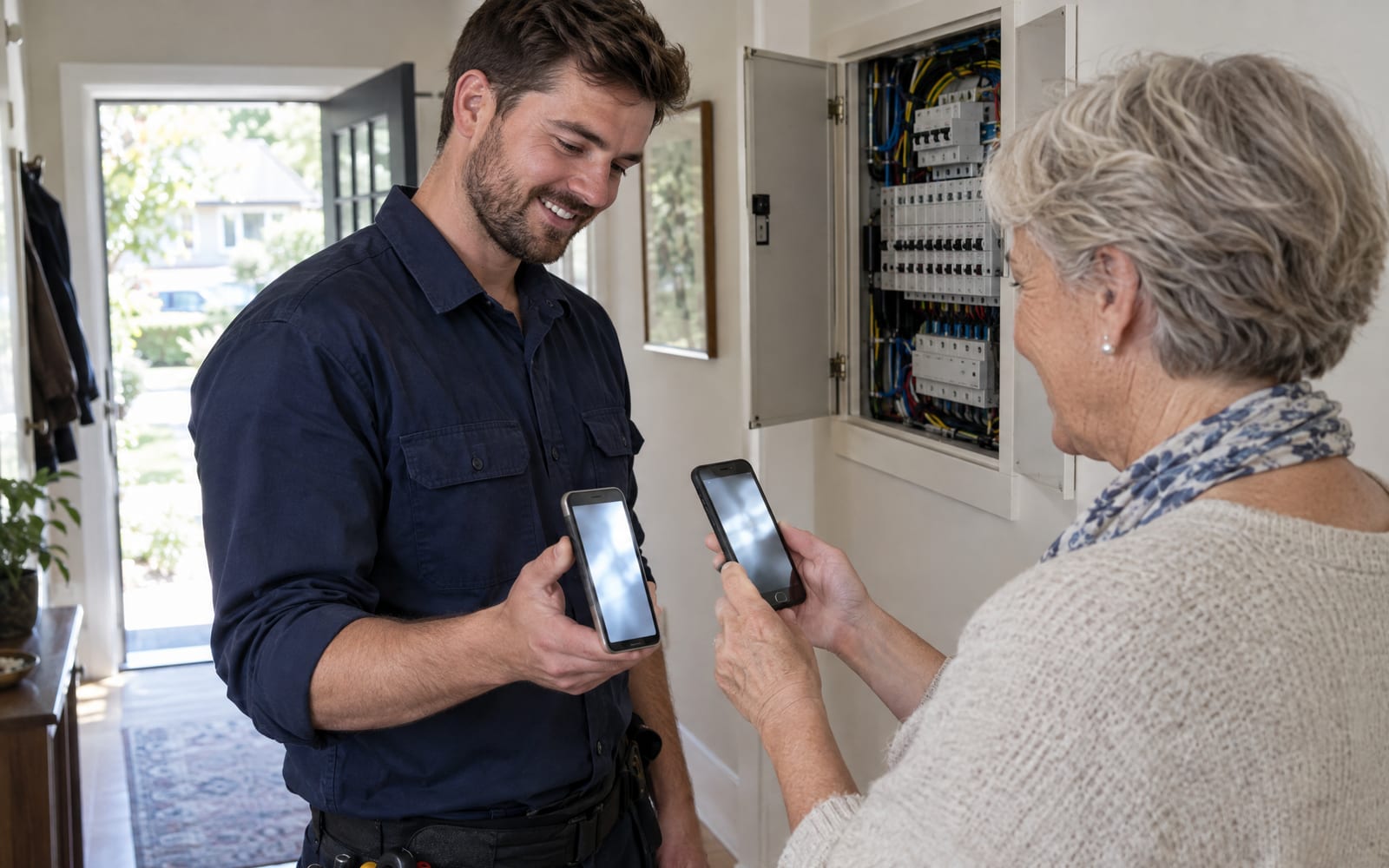
The easiest first hand-out is at the end of a job. Open your own card in Wallet, hold it up and let the customer scan the code on the front. Their camera opens your card page, and one tap saves the card to their Wallet.
After that, put the QR code where customers already look: the van, your quotes, the bottom of every invoice. The link goes in your email signature, your text messages and your social bio. The guide to putting a QR code on a business card covers where the code goes and what to print beside it.
Frequently asked questions
How do I make a digital business card for free?
You can make a Wallet card for free with echocard: one card in Apple Wallet and Google Wallet, with its own QR code and link, and no time limit. A contact file is free too, from your phone's Contacts, and many page builders make a free link page.
Can I make a digital business card on my iPhone?
Yes. You build a Wallet card in the iPhone's web browser and save it to your own Apple Wallet from the same phone. You can also share your contact from the Contacts app, but that sends a copy that cannot be updated.
How long does it take to make a digital business card?
A Wallet card with echocard takes about five minutes on a phone. A contact file takes a minute or two if your details are already in Contacts. A link page takes longer, because you are building a small website.
Do I need an app to make a digital business card?
No. A Wallet card is made in a web browser and lives in the Wallet app every iPhone and most Android phones already have. Your customers do not install anything either.
Which kind of digital business card is best for a trade business?
The Wallet card, for most trade and local service businesses. It sits beside the customer's bank cards, updates itself when your details change, and its back holds the call, book and review buttons. A link page and a contact file both leave the customer with nothing that changes when you do.
The short version
Making a digital business card means picking one of three kinds. A link page is a small website the customer has to find again. A contact file is a quick copy that goes out of date. A Wallet card takes about five minutes on your phone, stays in the customer's Wallet and updates itself. See how it looks for electricians, or start for free and make yours now.