
Can you put a business card in Apple Wallet? (what Wallet accepts and what it does not)
Yes, but only as a pass. Apple Wallet will not take a contact, a photo or a PDF. Here is what it accepts, why, and how a business card gets in.
By Hillside Digital Pty Ltd · Published 20 October 2026 · 7 min read
Want your own card in your customers’ Wallets?Build one for free
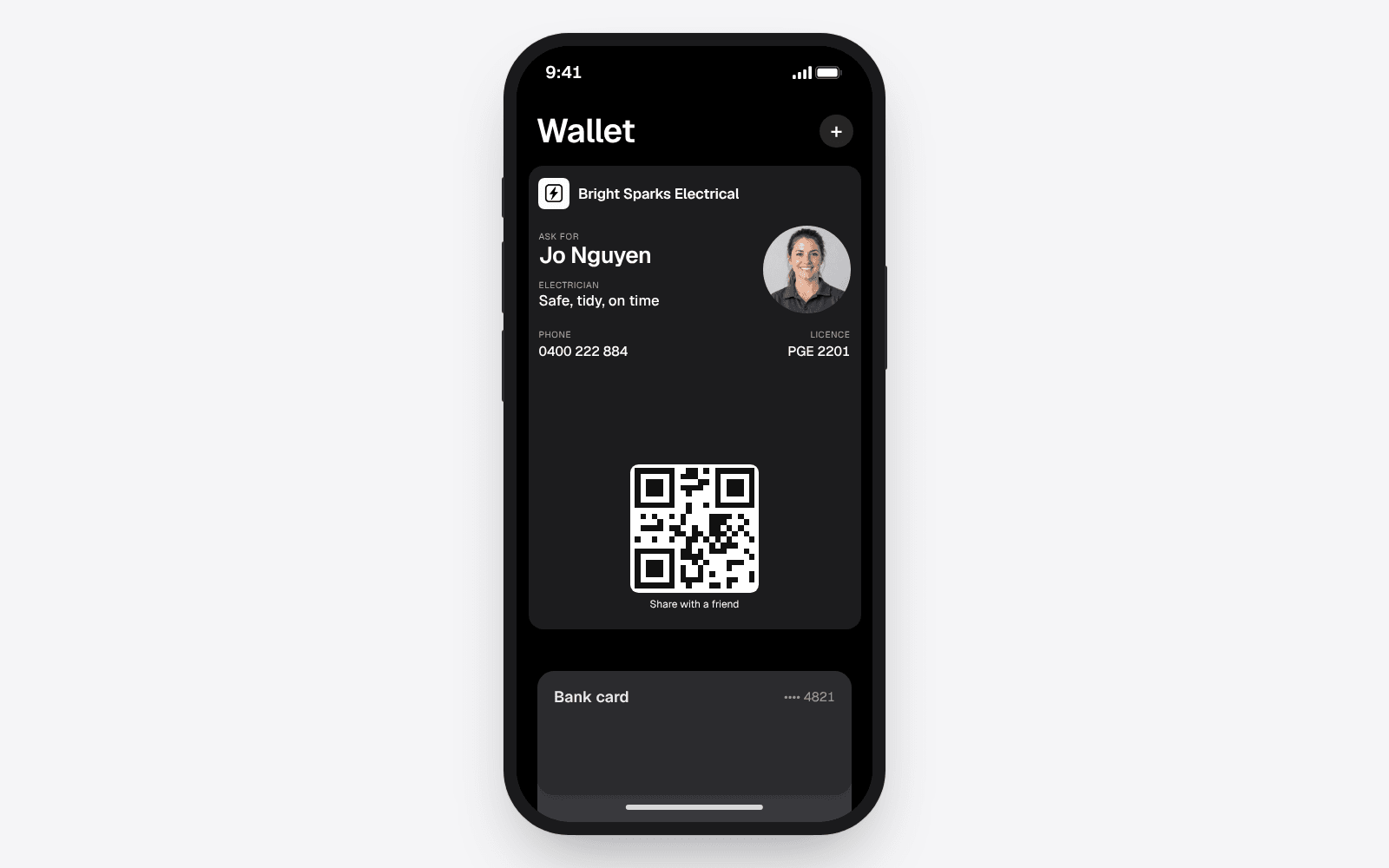
Yes, you can put a business card in Apple Wallet, but only as a pass. A pass is a small signed file, the same kind an airline issues for a boarding pass or a cinema issues for a ticket. Apple Wallet holds passes, bank cards and a few other things Apple controls, and nothing else.
That is why sharing a contact into Wallet goes nowhere. Apple Wallet does not accept contacts, vCard files, photos, screenshots or PDFs. A business card in any of those forms ends up in Contacts, Photos or Files instead. To sit in Wallet, the card has to be issued as a pass by a service that is set up to sign one, and the person saving it taps Add to Apple Wallet.
What Apple Wallet accepts
Apple Wallet is built for things you show or tap at a counter. Today it holds:
- bank, credit and debit cards, added through the bank
- boarding passes, event tickets and transit cards
- loyalty cards, gift cards and coupons from businesses that issue them
- keys and IDs where Apple and the issuer support them
- passes of any kind that are signed by a registered Apple developer
A business card fits in the last group. Wallet treats it exactly as it treats a loyalty card: it shows the front, turns over to show the back, and keeps it with everything else the owner of the phone carries.
What Apple Wallet does not accept
Most of the ways people try to get a business card into Wallet fail, and the reason is the same each time: none of them is a pass.
- A contact from the Contacts app. There is no option to move a contact into Wallet. Contacts and Wallet are separate apps that do different jobs.
- A vCard file. Tapping a .vcf file offers to add it to Contacts, never to Wallet.
- A photo or screenshot of a paper card. It saves to Photos.
- A PDF. It opens in Files or Books. Wallet does not hold documents.
- A link page. A web page with your details can be bookmarked or added to the home screen, but it is still a web page, not a pass.
If you have tried any of these and wondered what you did wrong, the answer is nothing. Wallet is simply closed to anything that has not been signed as a pass.
Why Wallet only takes passes
Apple keeps Wallet for things that can be trusted. Every pass has to be signed with a certificate that Apple issues to a registered developer, and the pass carries the web address it was issued from. When the issuer changes the pass, Apple tells the phone and the phone fetches the new version.
That is the part that makes a pass more useful than a contact. A contact is a copy that never changes once it is saved. A pass stays linked to the business that issued it, so a new number, new hours or a new logo reach every phone that holds it without anyone doing anything.
It also explains why you cannot build a pass on your phone and drop it in. There is no Wallet setting that turns your details into a card. You need a service that holds a developer certificate and issues the pass for you.
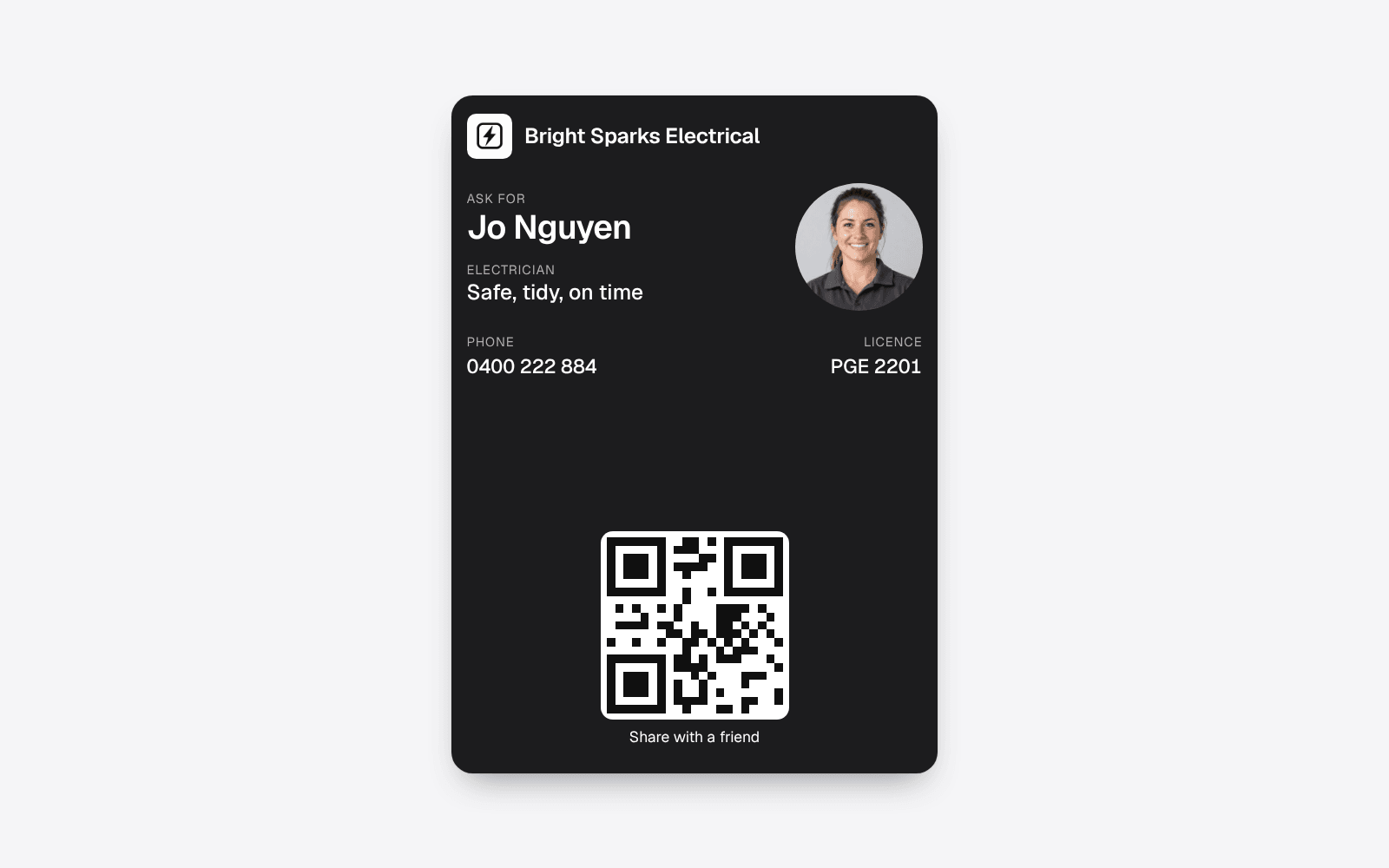
How a business card gets into Apple Wallet
From the customer's side, it takes three taps and no app.
- They scan your QR code with the iPhone camera, or tap your link.
- A page opens in Safari showing your card, and they tap Add to Apple Wallet.
- Wallet shows the card, and they tap Add.
The card now sits in Wallet with their bank cards. The full walk through, including how to find a saved card later and what to do when the button does not work, is in the guide on how to add a business card to Apple Wallet.
From your side, you build the card once with a service that issues passes. With echocard you put in your business name, logo, phone number and the lines you want on the front, such as a licence number for an electrician, then add it to your own Wallet so you can hold it up for people to scan.
What a business card in Wallet can do that a contact cannot
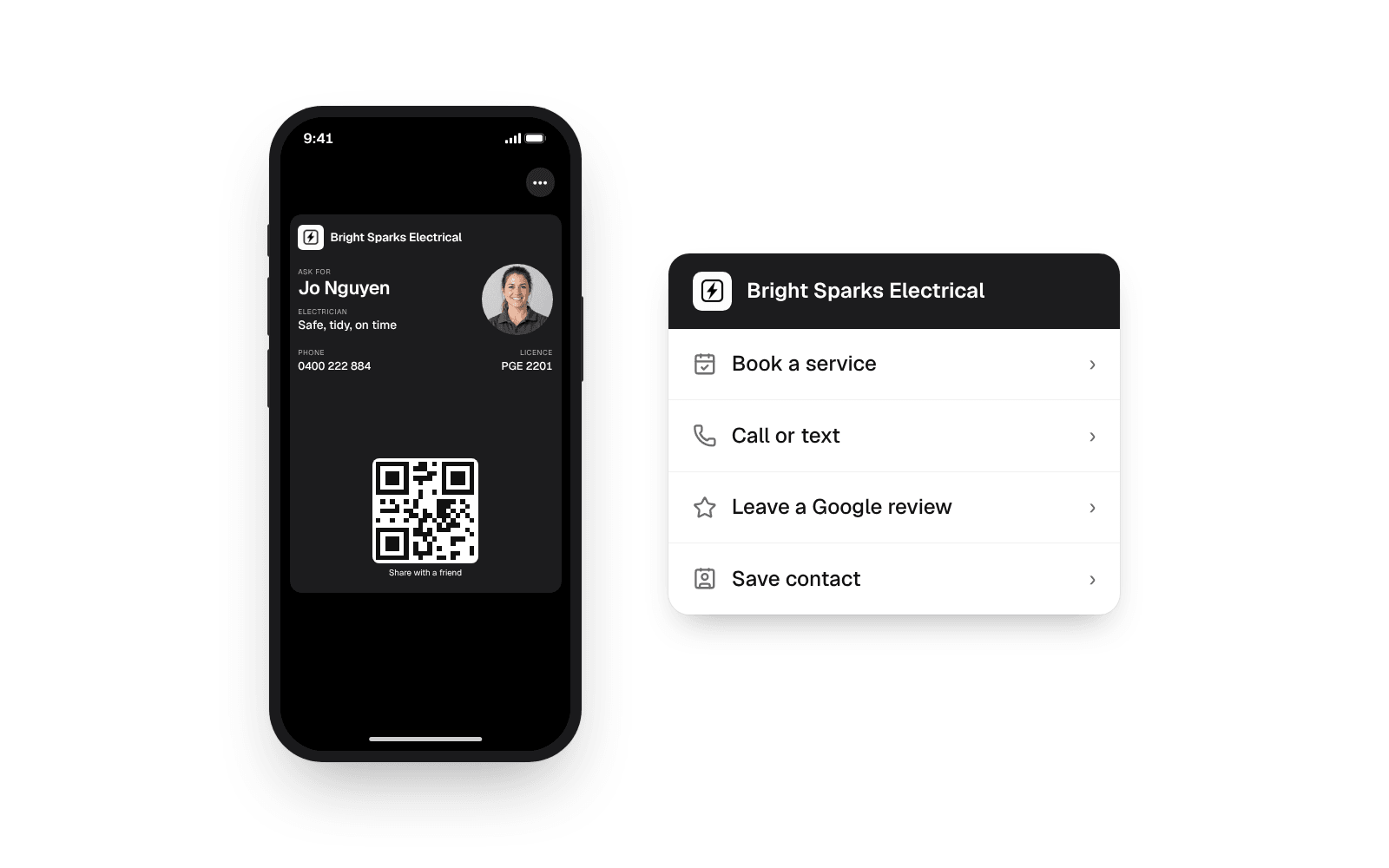
Tap ••• on the card and it turns over. The back holds the buttons you choose: book a job, call or text, leave a Google review, open your website. A Save contact button sits there too, so a customer who wants your number in Contacts as well can have both. Choosing a pass does not mean giving up the contact.
The card also stays current. Change your number or your hours and the card updates in every Wallet that has it, which no paper card, PDF or saved contact can do. The help article on what happens when you change your card covers how that works.
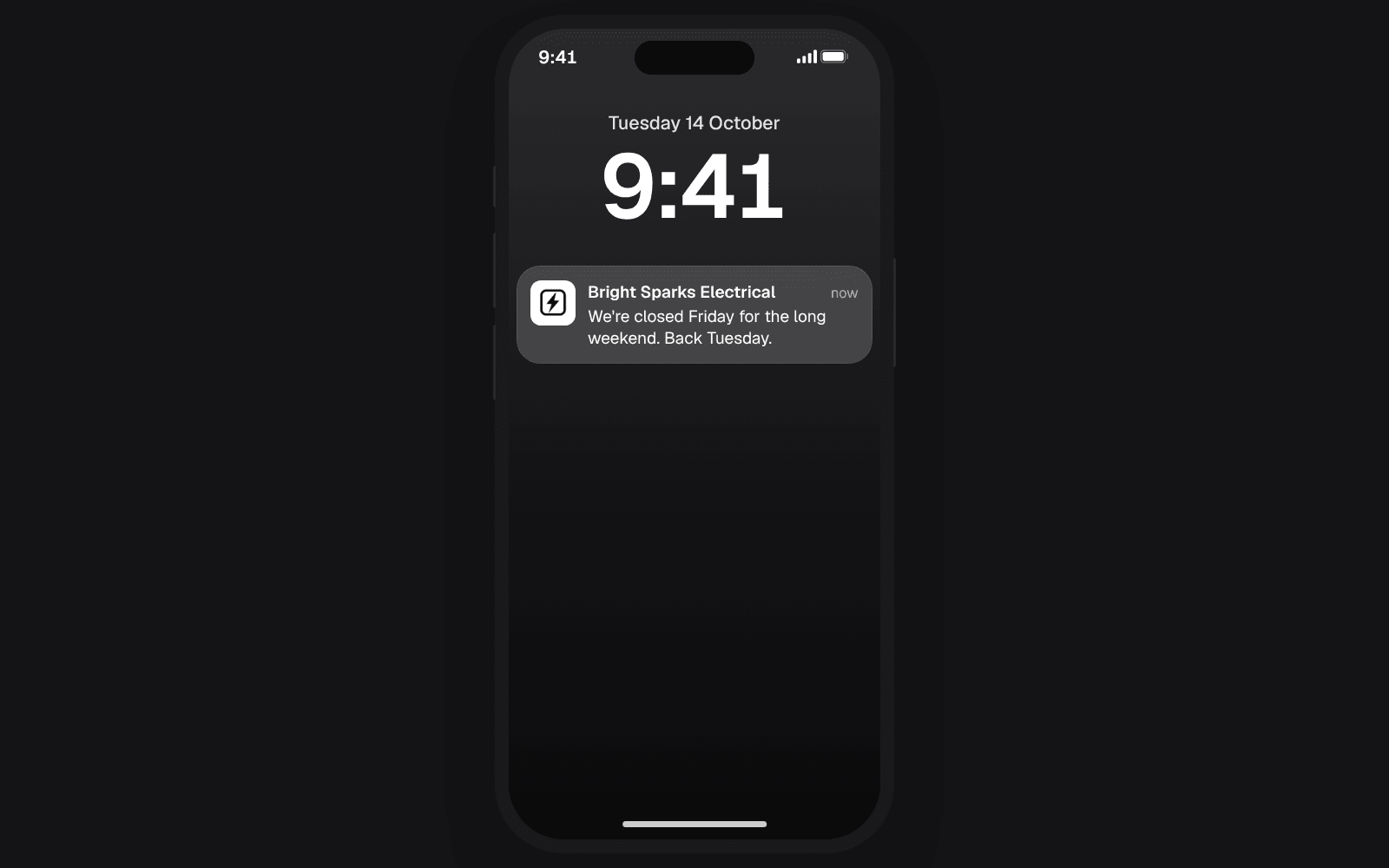
A pass can also put a message on the lock screen with your name and logo, the way a boarding pass tells you a gate has changed. On echocard, those messages are part of Pro: a thank you the day after a customer saves the card, a reminder a month later, and updates you send yourself. Free is the card itself, kept up to date, with its code and link.
What Apple Wallet cannot do with a business card
Being honest about the limits saves you a surprise later.
- You cannot delete it from someone's phone. Only the person who saved the card can remove it, the same as a boarding pass.
- It does not share like a contact. Someone who wants to pass your card on shares your link or shows your QR code, which is what the code on the front is for.
- It needs the person to tap Add. Nothing goes into anyone's Wallet without their say. That is a good thing: a card that is there was kept on purpose.
- Customers on Android use Google Wallet. The same link and code give them the Google Wallet version, so you still hand out one code.
Frequently asked questions
Can I add a contact card to Apple Wallet?
No. Apple Wallet does not accept contacts or vCard files, and there is no option in Contacts to move one across. A business card goes into Wallet only as a pass issued by a service that can sign one.
Can Apple Wallet hold a PDF or a photo of a business card?
No. A PDF opens in Files or Books and a photo saves to Photos. Wallet holds passes, bank cards, tickets and similar items, not documents or pictures.
Do I need an app to put my business card in Apple Wallet?
You do not, and neither do your customers. The card is built in a web browser, and customers add it from a page in Safari with one tap. Wallet is already on every iPhone.
Is a business card in Apple Wallet free?
It can be. echocard's Free plan gives you one card in Apple Wallet and Google Wallet with its QR code and link, and every saved copy updates when you change it. The automatic follow-up messages and your numbers are part of Pro. The help article on Free and Pro sets out the difference.
Does a business card in Apple Wallet work on Android?
Android phones use Google Wallet instead. The same QR code and link offer an Android phone the Google Wallet version, so one code serves both.
The short version
Apple Wallet takes passes, not contacts, photos or PDFs, so a business card goes in only when it is issued as a signed pass. Your customers scan your code, tap Add to Apple Wallet, then Add, and your card sits beside their bank cards, updating whenever you change it. See how it looks for electricians, or start for free and have your own in Wallet in five minutes.