
"Do you need an app for a digital business card? (no: the Wallet is the app)"
You do not need an app for a digital business card. A Wallet card is built in a browser and saved to the Wallet app every phone already has.
Published 27 October 2026 · 6 min read
Want your own card in your customers’ Wallets?Build one for free
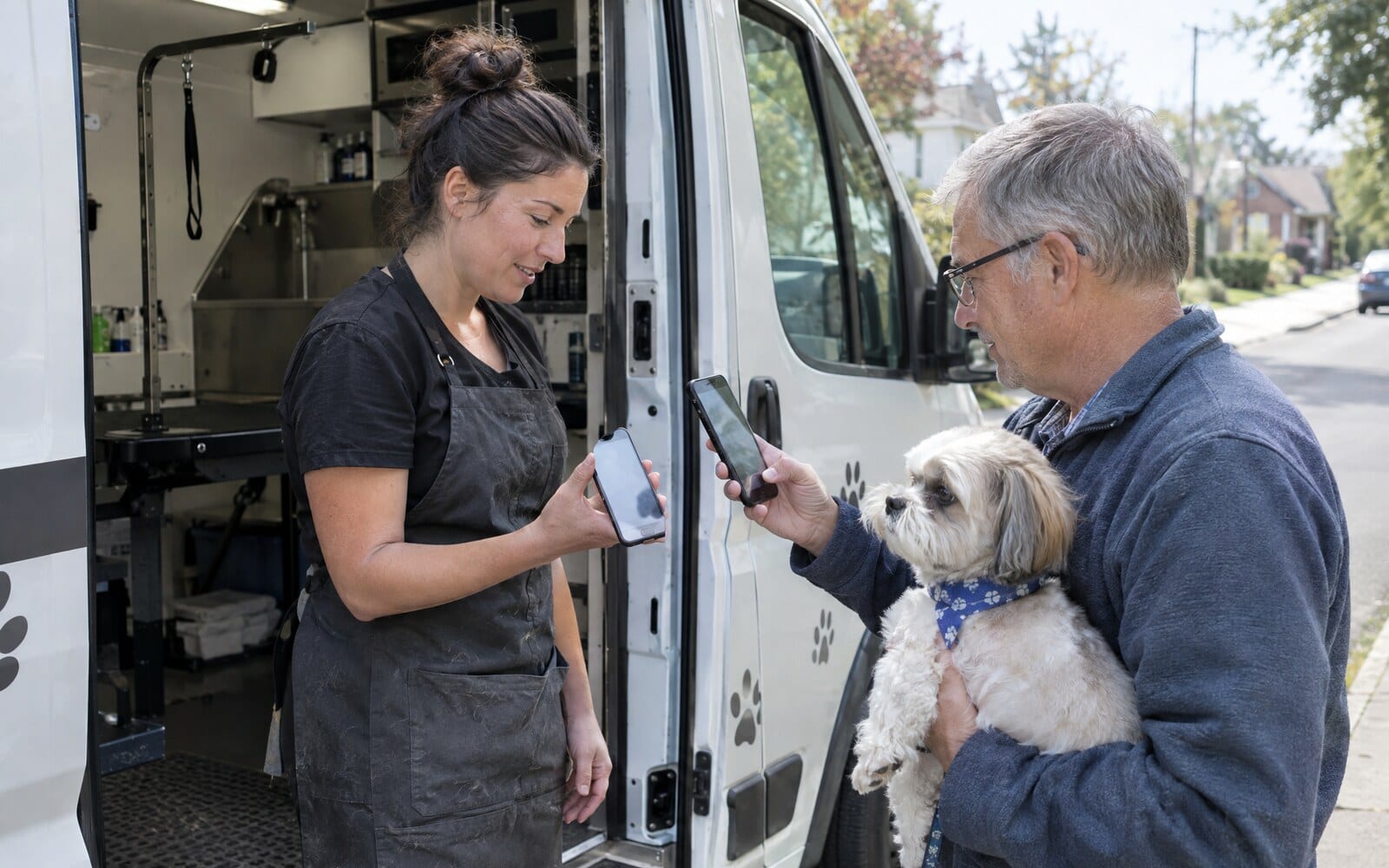
You do not need an app for a digital business card, and neither do your customers. A digital business card that lives in Apple Wallet or Google Wallet is built in a web browser on your phone and saved to the Wallet app that is already on every iPhone and most Android phones. The Wallet is the app.
Many products sold as a "digital business card app" ask you to install their app to make the card, and some ask the customer to install it too before they can keep it. For a trade or local service business, the customer side is the part that matters. Every extra download is a point where a customer says "I'll do it later" and never does.
Why most digital business card apps want an install
An app is how many card companies keep you in their product. It holds your card, sends you reminders and shows you who opened it. That is fine for the person sharing the card, but the card itself usually ends up as a link the customer opens once, or a contact file that drops into their address book with a hundred others.
When the customer needs an app to see or keep your card, you are asking a stranger to visit an app store, sign in, wait for a download and give the app permissions, all to keep the number of the person who just cleaned their gutters. Most people will not.

That moment at the end of a job is short. The customer is paying, saying thanks and thinking about the rest of their day. Whatever you hand over has to work in a tap or two, on the phone they already have, with nothing to install.
How a Wallet card works with no app on either side
A Wallet card (Apple calls it a pass) is a small file the phone's own Wallet app knows how to hold. Boarding passes, gym memberships and loyalty cards work the same way. Nobody installs an airline's app to keep a boarding pass in Wallet.
For your customer, saving it takes two steps:
- They scan your QR code with the phone camera, or tap your link in a text or email.
- Your card page opens in the browser and offers Add to Apple Wallet on an iPhone or Add to Google Wallet on an Android phone. One tap and it is saved.
That is the whole process. No account, no app store, no sign in. Your card then sits beside their bank cards in the Wallet app they open every time they pay for something, which is a better place to be than a folder of apps they never look at.
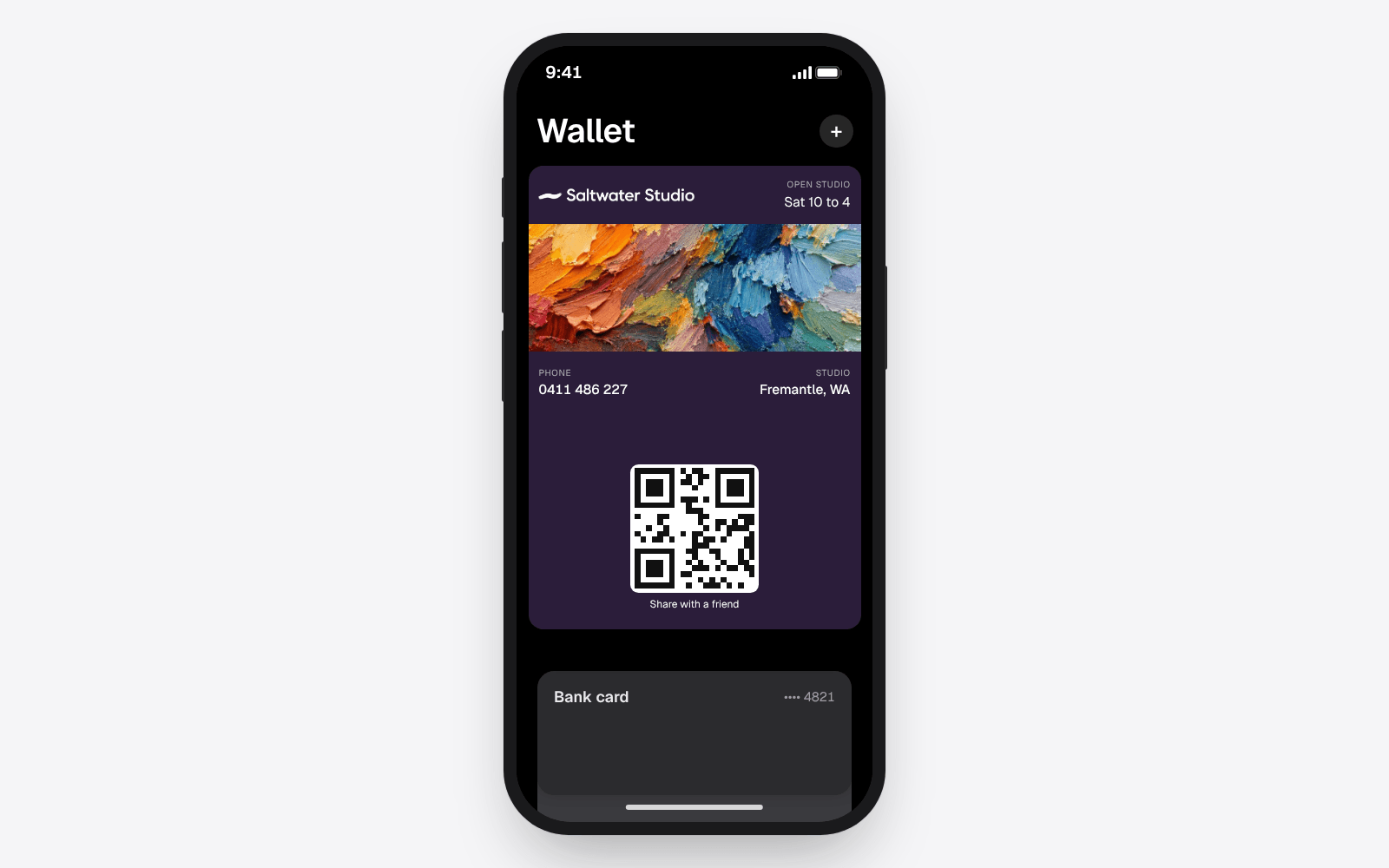
Once it is there, the card works like any other card in the Wallet. The front shows your logo, your name and up to three short details, such as a phone number or a licence number. Tap the ••• on the card and the back opens with your buttons: call, book, leave a Google review, visit your website, save the contact. The customer never has to remember which app your details are in.
How you make the card without an app
The owner side needs no install either. With echocard you sign up with your email in a phone browser, add your logo, your colour, your phone number, a booking link and your Google review link, and the card is ready. It takes about five minutes, and it is built to be done on a phone between jobs.

Everything after that happens in the same browser. You change a detail, and every copy already saved on a customer's phone updates on its own. You find your QR code and link on the Share page. To carry your own copy, open the Share page on your phone and tap Add to Apple Wallet or Add to Google Wallet, and your own phone becomes the thing you hold up for people to scan. The help article on putting the card in your own Wallet shows how.
The guide on how to make a digital business card walks through those five minutes step by step and compares the Wallet card with a link page and a contact file.
What an app can do that a Wallet card cannot
To be fair to the apps, some things they do are not possible in a Wallet. An app can scan paper business cards you are handed and read them into your contacts. It can hold a list of everyone you have met, with notes. Some connect to a sales team's customer system.
Those are tools for someone collecting other people's details, such as a sales rep at a trade show. echocard does none of that. It is built the other way round: to put your card on your customers' phones, so they can call, book or review you when they need you.
A Wallet card also has limits of its own. The front holds a few short lines, not a full web page. The buttons on the back need a data connection to open. And a customer can remove your card from their Wallet whenever they like, the same as any other card.
Frequently asked questions
Do I need to download an app to make a digital business card?
No. A Wallet business card can be built in a web browser on your phone. With echocard you sign up with your email, add your details and the card is ready in about five minutes, with no app to install.
Do my customers need an app to save my digital business card?
No. They scan your QR code with their camera or tap your link, and their phone offers to add the card to Apple Wallet or Google Wallet. Both Wallet apps come with the phone or are free to add on older Android phones, and nothing else is needed.
What is the best digital business card app for a small business?
For a trade or local service business, the best choice is often no app at all. A card that saves to the customer's Wallet in one tap, updates itself and puts call, book and review buttons on its back does more than a card that needs the customer to install something first.
Is there a free digital business card with no app?
Yes. echocard's Free plan is one card in Apple Wallet and Google Wallet, with its QR code, link and card page, and every saved copy updates when you change it. The guide to what a free digital business card gets you explains what Free includes and what it does not.
Does a Wallet business card work on both iPhone and Android?
Yes. The same QR code and link offer Apple Wallet on an iPhone and Google Wallet on an Android phone. The front and the buttons on the back are the same on both.
The short version
You do not need an app for a digital business card. Build the card in your phone's browser, share it with a QR code or a link, and your customers save it to the Wallet app they already have with one tap. No download for you, no download for them, and the card stays where they look every day. See how it works for artists, or start for free and have your card in five minutes.