
"NFC business cards: what they are, how to make one, and whether you need one"
An NFC business card opens a web link when a phone touches it. Point that link at a card the customer can save to their Wallet, or the tap is forgotten.
Published 26 October 2026 · 7 min read
Want your own card in your customers’ Wallets?Build one for free
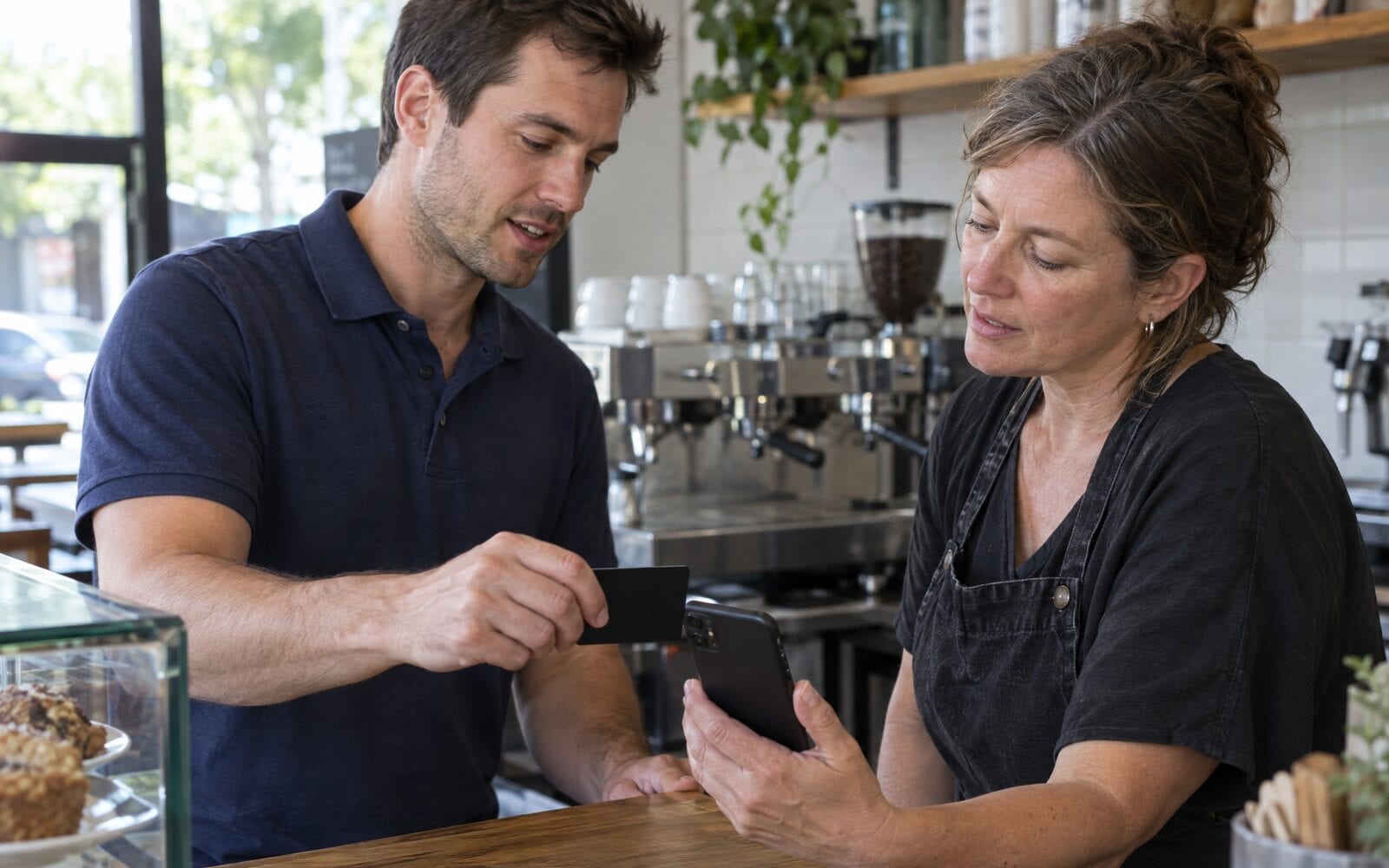
An NFC business card is a plastic, metal or wooden card with a small chip inside that holds a web address. When someone holds their phone against it, the phone reads the address and offers to open it. That is all the tap does: it opens a link, the same way scanning a QR code does.
Whether you need one depends on where that link goes. If the tap opens a web page, the customer looks at it once and closes it. If it opens a card they can save to Apple Wallet or Google Wallet, your details stay on their phone. The chip is the delivery; the thing at the other end is what the customer keeps.
What an NFC business card actually is
NFC stands for near field communication. It is the same short range radio a phone uses to pay at a checkout, and it only works when the phone is a few centimetres away.
The chip in an NFC card has no battery. It takes its power from the phone held against it, hands over a short record (almost always a web address) and goes quiet again. It does not track anyone, store their details or send anything back to you.
Most NFC business cards also have a QR code printed on them. That matters more than it sounds, because the code is the backup for every phone that does not read the chip.
How an NFC business card works on a phone
Recent iPhones read an NFC tag without an app: hold the top of the phone near the card with the screen on, and a banner appears offering to open the link. Android phones do the same when NFC is switched on, which it usually is, because the same setting powers tap to pay.
What happens after that banner is up to the link. The phone opens a browser page, and from there the customer can read it, save it or close it. Nothing goes into their Wallet or their contacts on its own from the tap alone.
So the honest answer to "do NFC business cards work" is yes, the tap works on most phones. The question is what you send people to.
How to make an NFC business card
You need two things: a blank NFC card or sticker, and a link worth opening. Blank cards and stickers are sold widely, and many NFC card companies will print your logo on the front.
- Decide what the tap should open. For a trade or local service business, that is a card the customer can save, with your phone number, booking link and review link on it.
- Get the link. If you use echocard, it is the link on your Share page, the same one your QR code opens.
- Write the link to the chip. Free NFC writing apps for iPhone and Android do this: choose to write a web address, paste your link and hold the phone to the card.
- Test it with an iPhone and an Android phone if you can borrow one, with and without a phone case.
- Print the QR code on the card as well, so a phone that does not read the chip still gets there.
echocard does not sell NFC cards or write them for you. Any blank card or sticker works, because the chip only needs your link.
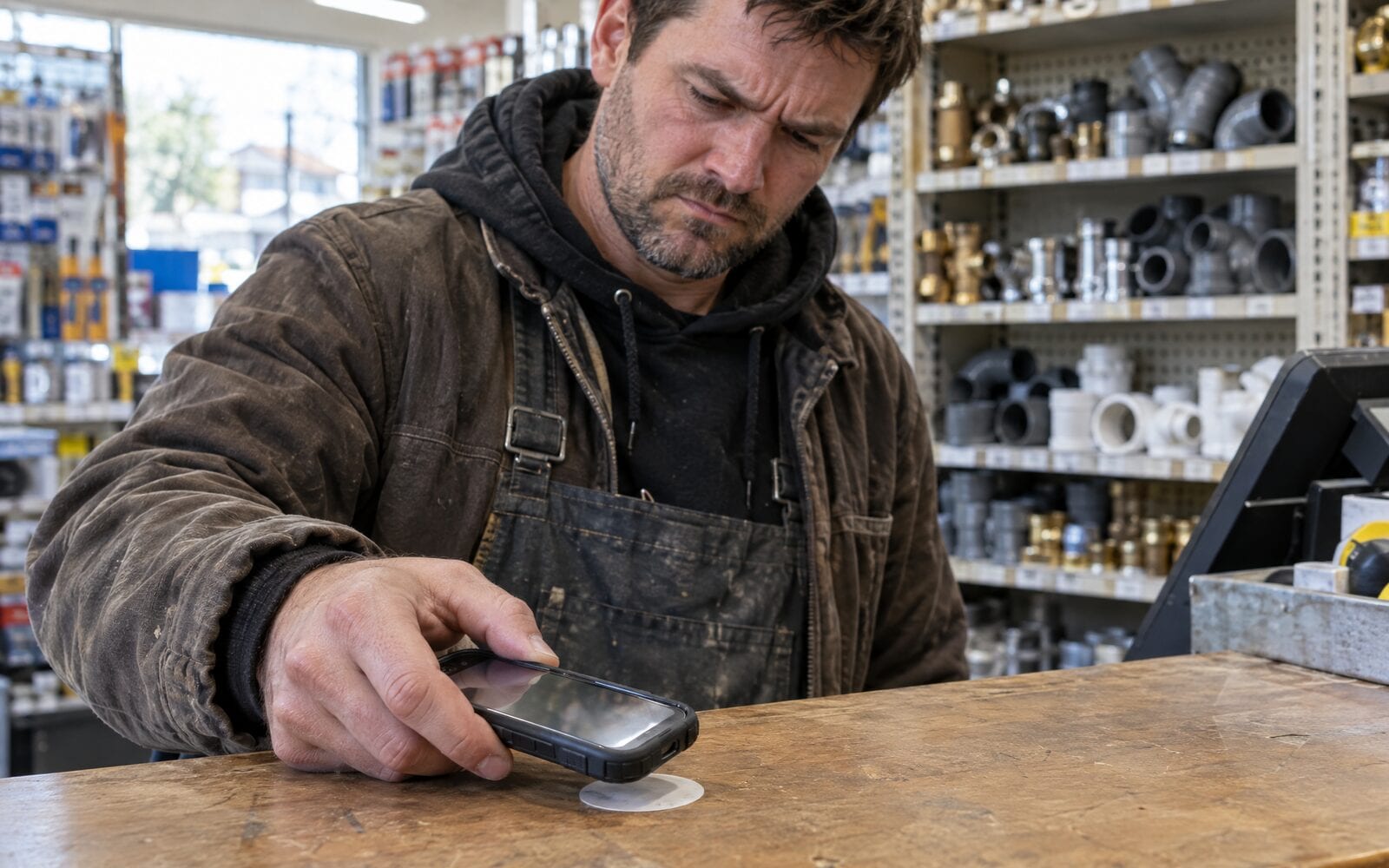
Where an NFC card falls short
A tap is quick when it works, and a little awkward when it does not. Thick or metal phone cases can block the chip. Some people do not know where on their phone to hold the card, and you end up reaching over to do it for them. A metal NFC card needs the chip set away from the metal, or it reads poorly.
The bigger gap is what happens next. If the tap opens a link page or your website, the customer has to remember to save something before they close the browser, and most will not. A week later, when the gutters overflow or the order runs low, your page is somewhere in their browser history.
That is the same problem a paper card has: it gets handed over, and then it gets lost.
Make the tap save a Wallet card
The fix is the link, not the chip. Point the NFC card at a page that offers to add your business card to Apple Wallet on an iPhone or Google Wallet on an Android phone. One tap on the chip, one tap on Add, and your card sits beside their bank cards in the Wallet app they open every time they pay for something.
A Wallet card also stays current. Change your number, your territory or your booking link, and every copy already saved on a customer's phone updates on its own. A card from echocard has its buttons on the back: call, book, leave a Google review, save the contact. The guide on what a digital business card is explains the difference between a link page, a contact file and a Wallet card.
Do you need an NFC card at all?
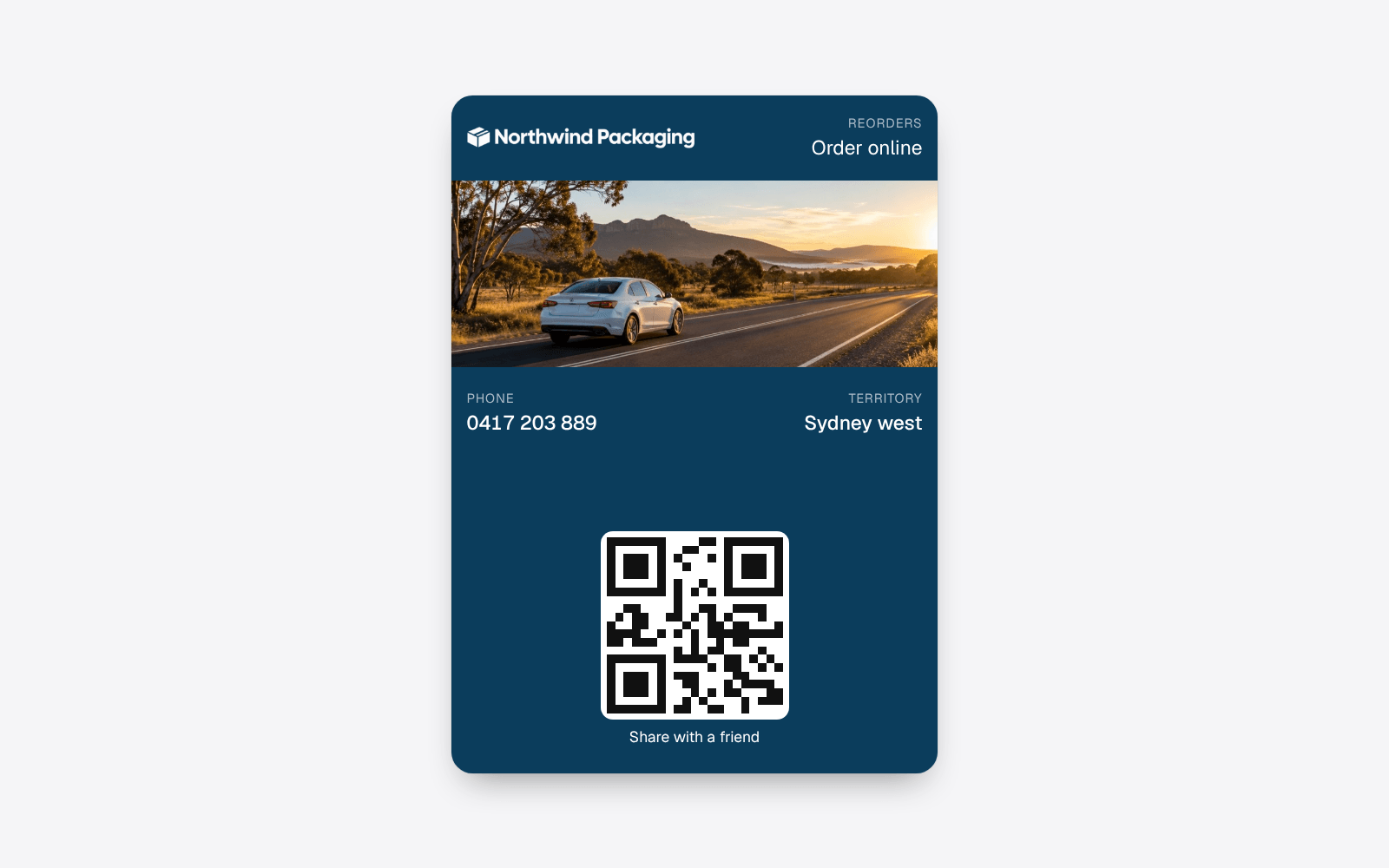
Often you do not. Once your card is in your own Wallet, the front of it shows a QR code. Open Wallet, hold up your phone, and the customer scans it with their camera. That works on every recent iPhone and Android phone, needs no chip and costs nothing extra. The help article on putting the card in your own Wallet shows how.
An NFC card earns its place when you hand out your details many times a day and like the feel of a physical card, such as a sales rep doing counter visits or a stall at a trade show. It is also a good fit as a sticker on a counter, a reception desk or a service van door, where customers can tap without you there.
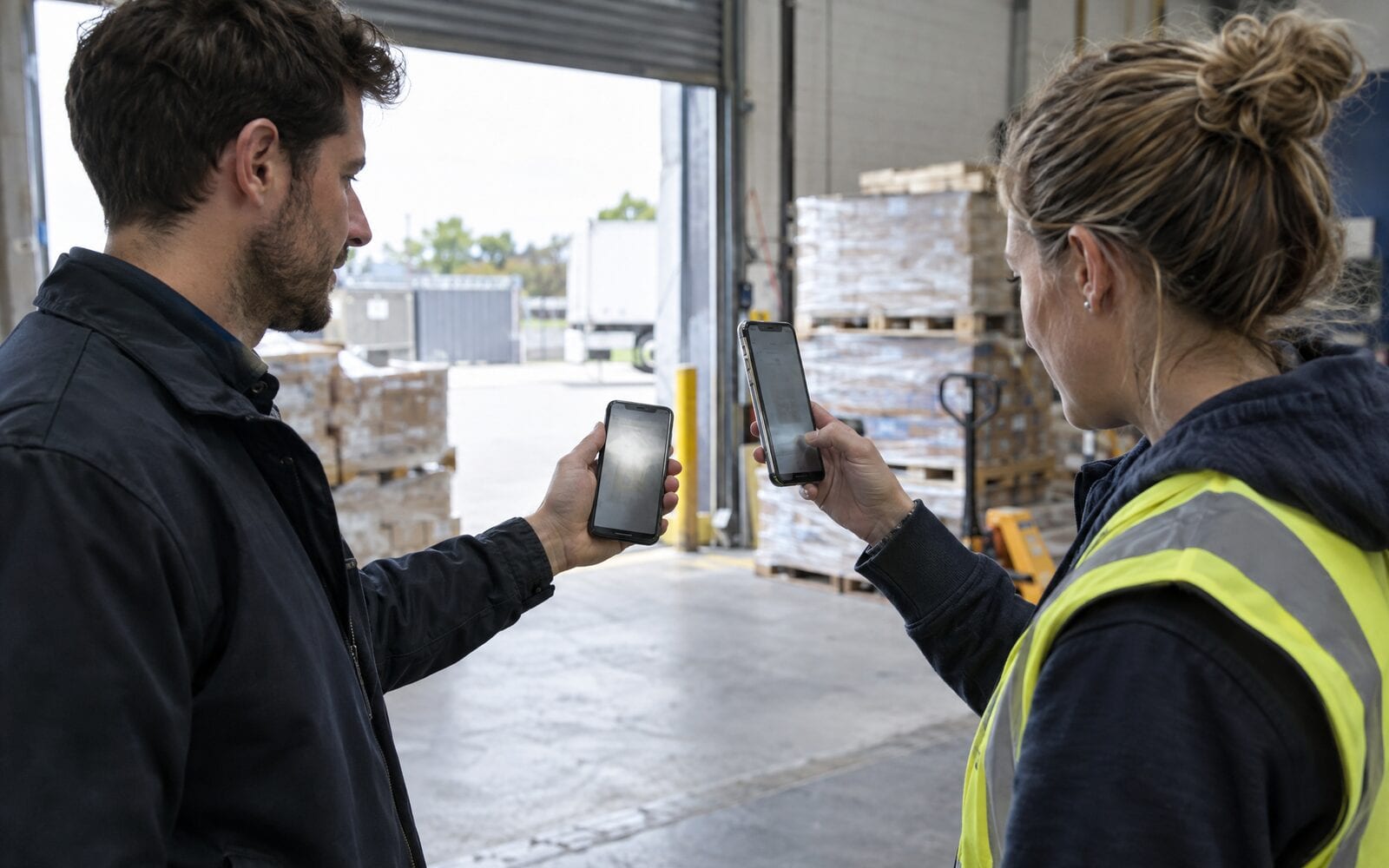
For most trade and local service businesses, a printed QR code on the van, the invoice and the paper card does the same job. The guide on putting a QR code on a business card covers where it goes.
Frequently asked questions
What is an NFC business card?
An NFC business card is a card with a small chip inside that holds a web address. When someone holds a phone against it, the phone reads the address and offers to open it. It needs no battery and no app on recent phones.
Do NFC business cards work on iPhone?
Yes. Recent iPhones read an NFC tag without an app when the screen is on and the top of the phone is held near the card. Older iPhones may not, which is why a QR code printed on the card is a sensible backup.
How do I make my own NFC business card?
Buy a blank NFC card or sticker, open a free NFC writing app on your phone, choose to write a web address and hold the phone to the card. Write the link to a page that saves your card to the customer's Wallet, and test it on more than one phone.
Can an NFC card add my business card to Apple Wallet?
Not directly. The tap opens a link, and the page at that link can offer Add to Apple Wallet or Add to Google Wallet. That is one extra tap for the customer, and after it your card stays on their phone.
Are NFC business cards worth it for a small business?
They are worth it if you hand out your details many times a day and want something physical to hand over. If not, the QR code on the card in your own Wallet does the same job for free, and a printed code on your van and invoices reaches people when you are not there.
The short version
An NFC business card is a chip that opens a link when a phone touches it. The tap is the easy part; what matters is that the link saves a card the customer keeps. Point it at a Wallet card, print a QR code beside the chip, and remember your own phone can show that code without any NFC card at all. See how it works for field sales, or start for free and have your link in five minutes.